




Humidifier Guides and Support
Find Honeywell humidifier setup, cleaning, filter, water, indicator light, white dust, buying, and troubleshooting guides for common models and types.
Related Topics:

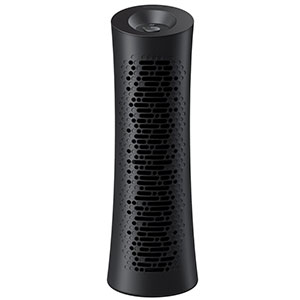
If your Honeywell humidifier is leaving a fine white powder on furniture, floors, or other nearby surfaces, the residue is most likely caused by minerals in the water, not a defect in the humidifier. White dust is most commonly associated with ultrasonic cool-mist humidifiers filled with hard tap water.
This guide explains what causes Honeywell humidifier white dust, how to reduce or prevent it, when to replace a demineralization cartridge, and how to safely remove mineral deposits from the tank and ultrasonic nebulizer.
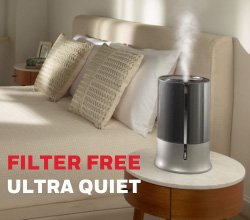
An ultrasonic humidifier uses a rapidly vibrating metal nebulizer disc to break water into extremely small droplets. A small fan then carries these micro-droplets out of the humidifier as visible cool mist.
If the tank contains hard tap water, each droplet may also contain dissolved minerals. The water evaporates after entering the room, but minerals such as calcium and magnesium remain behind as microscopic particles. These particles eventually settle as a white or light-gray powder on nearby surfaces.
The harder the water, the greater the likelihood of a humidifier leaving white powder. Homes supplied by mineral-rich well water or hard municipal water may notice residue within only a few days of regular ultrasonic humidifier use.
White mineral dust is not normally mold, smoke, or evidence that the humidifier’s motor is failing. Honeywell identifies this residue as a result of minerals suspended in the water rather than a product defect.
If you are asking, “why does my Honeywell humidifier leave white film,” check the model type and water source first. A Honeywell HUL-series or another ultrasonic model can disperse minerals from untreated tap water. The residue may become especially noticeable on dark furniture, glass tables, television screens, and other electronics.
The film can also indicate that an installed demineralization cartridge has reached the end of its service life or that the cartridge is not designed for the exact humidifier model.
The most effective way to stop white dust from humidifier operation is to remove most of the minerals before the water enters the tank. Bottled water specifically labeled “distilled” generally contains far fewer minerals than tap, spring, artesian, or mineral water.
Because fewer dissolved minerals enter the humidifier, distilled water can greatly reduce and often virtually eliminate visible white residue. It also slows scale buildup on the nebulizer and inside the reservoir. However, “purified” bottled water is not necessarily distilled, so check the label for the treatment method.
Some Honeywell ultrasonic humidifiers support a demineralization cartridge that captures minerals before the water reaches the nebulizer. Compatible examples have included the Honeywell HDC500 and Protec PDC51V2 cartridges, but compatibility varies by model.
Replacement intervals are not identical for every cartridge. Honeywell guidance for the HDC500 specifies replacement approximately every 20–30 tank fillings, depending on water quality and usage. Some demineralization cartridge instructions provide a broader estimate of approximately 15–30 fillings or two to four weeks under normal use.
Harder water may exhaust a cartridge sooner. If white residue reappears before the estimated interval, replace the cartridge or switch to distilled water.
A demineralization cartridge can reduce white dust, but it may not remove every mineral from extremely hard water. Continued white powder indicates that the cartridge may be depleted, incorrectly installed, incompatible with the humidifier, or insufficient for the local water hardness.
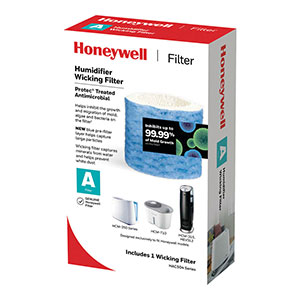
An evaporative humidifier uses a fan to draw air through a saturated paper wick. Water evaporates from the filter as invisible moisture, while most minerals remain trapped inside the wick.
In an evaporative vs ultrasonic white dust comparison, an evaporative wicking model is less likely to disperse mineral powder into the room. This makes evaporative cool moisture a practical option for households with hard water or for users who do not want to purchase distilled water regularly.
The tradeoff is filter maintenance. As the wick captures minerals, it may become yellow, brown, hard, stiff, or less absorbent. Inspect it with each refill, flip it top-to-bottom when the manual recommends doing so, and replace it when mineral buildup reduces moisture output.
People often ask, “is white dust from humidifier safe to breathe?” The visible residue is usually mineral material rather than mold or smoke, but ultrasonic humidifiers can disperse very small mineral particles into the air where they may be inhaled.
Federal guidance has not concluded that mineral dispersal from home humidifiers presents a serious health risk for the general population. However, the EPA recommends using low-mineral water to reduce exposure, and extra caution is reasonable for infants, older adults, and people with asthma, allergies, or sensitive lungs.
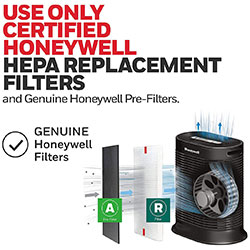
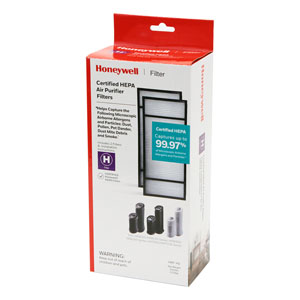
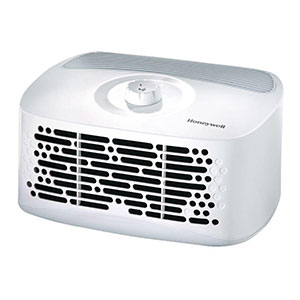
Airborne mineral particles can add to the particulate load captured by furnace filters and portable HEPA air purifiers. Heavy or continuous white-dust production may cause filters to appear dirty sooner and can shorten the practical replacement interval.
Inspect nearby air-purifier and HVAC filters after correcting the water problem. Replace a filter if it is heavily coated or if airflow has noticeably decreased, following the equipment manufacturer’s instructions.
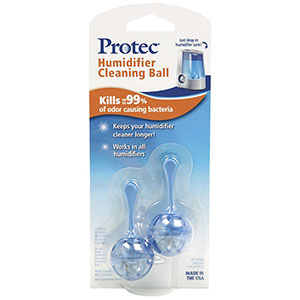
White dust on furniture can be wiped away with a damp microfiber cloth, but the mineral source inside the humidifier must also be cleaned. Scale on the nebulizer can reduce mist output and cause the unit to work inefficiently.
A Honeywell humidifier leaving white powder is usually dispersing minerals from hard water. It is not normally a sign of mold or a defective humidifier. Switching to distilled water, using a compatible demineralization cartridge, or choosing an evaporative wicking model can substantially reduce the problem.
Clean existing scale from the tank and nebulizer before changing water sources. If white dust continues with distilled water and a freshly cleaned humidifier, verify that the water is actually labeled distilled, inspect any cartridge installation, and consult the model’s troubleshooting instructions.
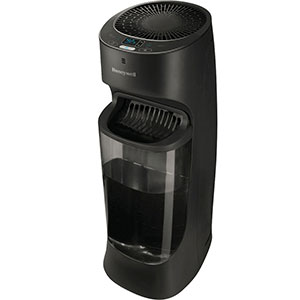
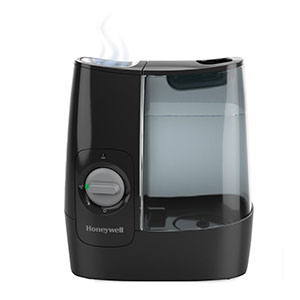
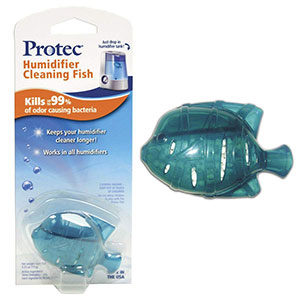
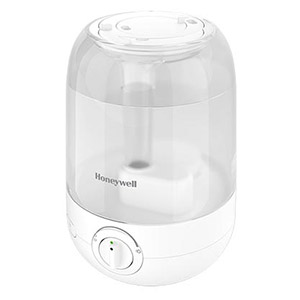
Explore related support articles and resources for this topic.
Find Honeywell humidifier setup, cleaning, filter, water, indicator light, white dust, buying, and troubleshooting guides for common models and types.
Contact options may differ depending on the type of help you need.