



Thermostat Guides and Support
Find Honeywell thermostat support for choosing the right model, installation, wiring, programming, troubleshooting, battery replacement, resets and everyday use.
Related Topics:

Learn what a thermostat C-wire does, why many smart thermostats need continuous power and how a C-wire adapter can help solve a no C-wire installation.
A C-wire, also called a common wire, provides a continuous 24V power path from the HVAC system to the thermostat. This steady power is especially important for many modern smart thermostats because Wi-Fi, touchscreen displays, app control and background system features may need more consistent power than older battery-powered thermostats.
If you are trying to install a smart thermostat with no C-wire, a compatible C-wire adapter for thermostat installations may allow you to upgrade without running brand-new physical wires through your walls. This guide explains how Thermostat C Wire and Adapters work, what to check before installation and why model-specific instructions are important.
The C-wire is the common side of the low-voltage HVAC power circuit. In a typical low-voltage thermostat setup, the R terminal supplies 24V power, while the C terminal completes the power path. Together, R and C allow a thermostat to receive continuous power from the HVAC control board.
Older non-programmable or battery-powered thermostats may not need a C-wire because they only call for heating, cooling or fan operation when needed. Smart thermostats often need more steady power to keep connected features running.
Not every thermostat requires a C-wire, but many smart thermostat installations are more reliable when a proper common power connection is available.
A C-wire adapter is a power adapter kit designed to help provide smart thermostat power when there is no dedicated C-wire at the wall. Instead of pulling a new wire through the wall, the adapter is installed near the HVAC control board and uses the existing thermostat wire bundle to create a compatible power path for the new thermostat.
A c wire adapter for smart thermostat upgrades can be especially helpful when your existing wall plate has a traditional 4-wire setup, such as R, G, Y and W, but no separate C wire.
In many adapter setups, the adapter connects at the HVAC control board to terminals such as R, G, Y and W. The adapter then changes how the existing wiring signals are carried between the HVAC equipment and the thermostat. At the wall plate, the included adapter wiring or module allows the thermostat to use one of the existing wires as part of a new power path, creating a virtual C-wire connection for compatible thermostats.
The exact wiring method depends on the adapter kit, thermostat model and HVAC system. Always follow the instructions included with your specific Honeywell C-wire adapter or thermostat power adapter.
If your system uses high-voltage wiring, has damaged wires, uses unusual terminals or does not match the adapter instructions, contact a licensed HVAC professional.
Before installing a c wire adapter for thermostat wiring, turn off power to your HVAC system at the breaker panel, furnace switch or HVAC service switch. Do not remove thermostat wires or open the HVAC control panel while power is on.
Low-voltage thermostat wiring can still damage equipment if wires touch the wrong terminals or short together. Shutting off power helps protect the thermostat, adapter, furnace control board and cooling equipment during installation.
If you are not comfortable working inside the HVAC equipment panel, use a professional installer.
The steps below describe a common honeywell c wire adapter installation process for systems that use standard R, G, Y and W thermostat terminals. Your adapter may use different labels or steps, so use this as a general guide only and follow the instructions included with your exact product.
Labeling wires by terminal letter is safer than relying on wire color alone. Wire colors are common clues, but they are not guaranteed.
If you cannot identify the control board terminals or if the wiring does not match the adapter instructions, stop and contact an HVAC professional.
A typical C-wire adapter installation connects the adapter leads to the same control board terminals used by the thermostat wires. Common terminals may include:
The adapter may require moving the existing thermostat wires from the control board into the adapter module, then connecting adapter wires back to the board terminals. This allows the adapter to split or combine signals so the thermostat can receive a virtual C-wire connection at the wall plate.
Do not force wires into terminals, combine wires incorrectly or skip any step in the adapter manual. Incorrect wiring may prevent the system from operating properly.
The wall plate wiring may not look exactly like a traditional 5-wire setup because the adapter is creating a compatible power path using the existing wire bundle.
If the thermostat does not power on or the system does not respond correctly, turn power off and review the wall plate wiring, control board wiring and adapter instructions.
A C-wire adapter can make smart thermostat installation possible in homes that do not already have a dedicated common wire at the wall. Instead of opening walls or fishing a new thermostat cable from the HVAC equipment to the thermostat location, the adapter uses the existing thermostat wire path.
This makes a smart thermostat no C wire situation easier to solve, especially when the current thermostat uses a traditional 4-wire setup. A compatible adapter can help provide the steady power needed for Wi-Fi, app control, touchscreen features and connected comfort settings.
Running a new thermostat cable with a dedicated C-wire can be a strong long-term solution, but it may require wall access, fishing wires through finished spaces or professional installation. A compatible C-wire adapter is often a simpler alternative because it works with the wiring already in place.
However, an adapter is not the right solution for every system. If your HVAC system has unusual wiring, separate transformers, heat pump accessories, zone panels or high-voltage controls, professional installation may be the safer option.
When in doubt, stop and compare the wiring against the adapter instructions or contact an HVAC technician.
Contact a professional if your HVAC control board is difficult to access, terminal labels are unclear, the wiring does not match the adapter instructions, your system has a heat pump with auxiliary heat, you have multiple thermostats or zones, or the thermostat does not operate correctly after installation.
Professional help is also recommended if you are uncomfortable working near HVAC equipment, if your system uses high-voltage wiring or if you are unsure whether a c wire adapter for smart thermostat installation is compatible with your equipment.
No. Some smart thermostats require a C-wire, while others may support battery assistance, power sharing or a compatible C-wire adapter. Always check the installation requirements for your exact thermostat model before buying or installing it.
Some installations may use an external plug-in transformer, but it is not the right solution for every thermostat or HVAC system. It may require specific terminals and wiring methods. Use only a transformer method approved for your thermostat model, or contact a professional installer.
A compatible C-wire adapter installed correctly should not damage the furnace control board. Damage can occur if power is left on, wires are connected to the wrong terminals, wires short together or the adapter is not compatible with the system.
Remove the thermostat faceplate after turning off HVAC power and look for a wire connected to the C terminal. For confirmation, the same wire should also connect to C at the HVAC control board. Wire color alone is not enough to confirm a C-wire.
The C-wire is often blue or black, but thermostat wire colors are not guaranteed. Always identify the C-wire by the terminal label, not the color of the wire.
A C-wire adapter changes how existing thermostat wires carry power and control signals between the HVAC control board and the wall plate. In compatible systems, this allows the thermostat to receive continuous power without adding a brand-new wire through the wall.
Some homeowners can install a compatible C-wire adapter by carefully following the product instructions, turning off HVAC power and documenting the wiring. If you are unsure about the control board, terminal labels or system compatibility, hire an HVAC professional.
No. Adapter compatibility depends on the thermostat, HVAC system and existing wiring. Some heat pump, zoned, high-voltage or complex systems may require a different installation method.
It depends on the thermostat model. Some thermostats use batteries as backup, while others rely on system power. Follow the instructions for your specific Honeywell thermostat.
Turn off HVAC power and review the wiring at both the wall plate and control board. Check that each wire is secure, the adapter is connected to the correct terminals and the HVAC access panel is properly closed. If the thermostat still does not power on, contact an HVAC professional.
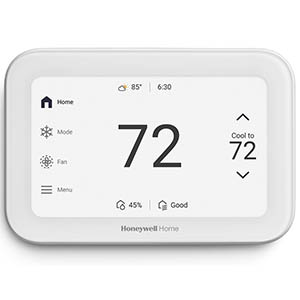
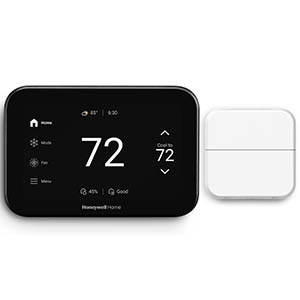
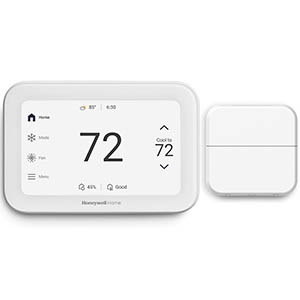
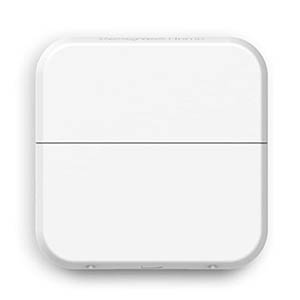
Explore related support articles and resources for this topic.
Find Honeywell thermostat support for choosing the right model, installation, wiring, programming, troubleshooting, battery replacement, resets and everyday use.
Contact options may differ depending on the type of help you need.