When checking out, simply select the "New Customer" option. All you need to get started is a valid email address and a secure password of your choosing. After your purchase is complete, your account will be created, and you will immediately gain all the benefits of being an account holder. If you have previously placed an order with us as a guest, you can try using the "Forgot Password" feature under the "Sign In" tab.
Benefits of having an account:
Real-time status updates on all your orders and returns.
Ability to view detailed order history.
Eligibility to enroll in subscription items for recurring discounts.
Access to more store features and quicker customer support.
Connection to a dedicated sales representative if placing bulk orders.
Manage your account settings:
Update your email address and password.
Unsubscribe from email promotions.
Manage item subscriptions.
Delete your account and remove your information.
We respect your privacy and are committed to protecting any personal information you may provide us through our Website. View our privacy policy for more info.
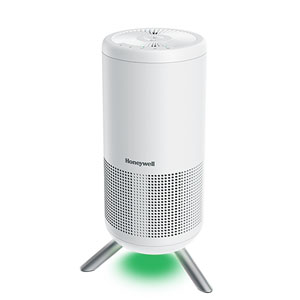
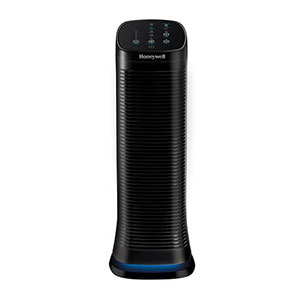
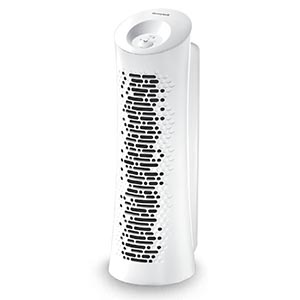
Where you place your Honeywell Air Purifier has a significant impact on how effectively it cleans the air in your home. Even the highest-performing air purifier cannot operate efficiently if its air intake or exhaust is blocked. By following a few simple placement guidelines, you can maximize airflow, improve Clean Air Delivery Rate (CADR) performance, and help your purifier capture more dust, pollen, pet dander, smoke, and other airborne particles.
This guide covers the best places to put an air purifier in your bedroom, living room, and other living spaces, along with common placement mistakes that can reduce performance.
The Honeywell Air Purifier Clearance Rule
Every Honeywell Air Purifier requires adequate clearance around the unit to maintain optimal air circulation. Air is continuously drawn through the front intake grilles, pushed through multi-stage True HEPA filtration, and distributed back into the room as clean air through the top exhaust. Blocking either the intake vents or the air outlet restricts overall airflow, strains the motor, and significantly reduces the unit's CADR (Clean Air Delivery Rate) efficiency.
Minimum Clearance Requirements
Distance from walls: Maintain at least 3 feet (36 inches) of clear space around console models (or a minimum of 12 inches for compact tabletop units).
Avoid soft blockages: Keep the unit clear of long curtains, bed skirts, sofas, and loose drapery that could get pulled against the intake vents.
Never enclose: Do not operate the purifier inside cabinets, tight cubbies, or wedged behind entertainment centers.
Keep top exhaust clear: Never place books, decor, or household items on top of the clean air outlet grille.
Maximize room circulation: Position the unit in open space to allow unhindered 360 degree airflow and achieve optimal air changes per hour (ACH).
Maintaining proper clearance allows your Honeywell Air Purifier to continuously draw in contaminated air and distribute clean, filtered air across the room without straining the fan motor.
Can You Put an Air Purifier in a Corner?
While an air purifier can physically fit into a corner, it is generally not the most efficient spot. Placing the unit flush against two converging walls restricts intake airflow and limits clean air distribution throughout the rest of the room. If a corner is your only available space, pull the unit outward so there is at least 12 to 24 inches (up to 3 feet for larger console models) of clearance from both walls.
Best Placement for a Bedroom
Bedrooms are the most popular location for Honeywell Air Purifiers because you spend roughly a third of your day resting in the same enclosed environment. Positioning the purifier properly ensures clean, filtered air circulates directly through your breathing zone while you sleep.
Bedroom Placement Tips
Distance from bed: Position the unit roughly 3 to 6 feet away from the head of your bed to keep the motor quiet while keeping clean air near your breathing area.
Direct the airflow: Angle the clean air exhaust toward your sleeping area without pointing strong draft directly at your face.
Keep nightstands clear: Maintain several inches of clearance away from dressers, nightstands, and long bed skirts or curtains.
Nighttime settings: Use Quiet Clean, Germ, or Sleep modes overnight to maintain steady filtration with minimal ambient noise.
Many homeowners wonder about placing an air purifier next to the bed. This is perfectly
acceptable as long as there is adequate clearance around the purifier and the airflow isn't blowing directly
into your face.
Best Place for an Air Purifier in a Living Room
Larger rooms often require a little more planning. Instead of placing the purifier wherever it's least noticeable,
position it where it can remove the greatest concentration of airborne contaminants.
Living Room Placement Strategy
Position the purifier near your primary seating area.
Place it close to pet beds if pet dander is a concern.
Locate it near frequently used entryways where dust enters the home.
Leave open space around the intake and exhaust vents.
Avoid hiding the purifier behind couches, televisions, or large furniture.
Keeping the purifier closer to where people spend the most time allows clean air to circulate more
effectively throughout the occupied portion of the room.
Floor or Table? Choosing the Correct Height
One of the most common placement questions is whether an air purifier belongs on the floor or on a table. The answer depends largely on the size of the purifier and the room it's designed to clean.
Floor vs. Elevated Placement
Large Console and Tower Models
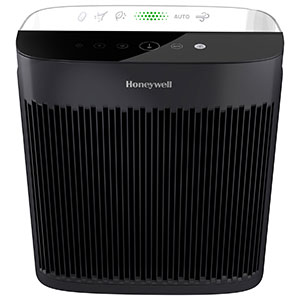
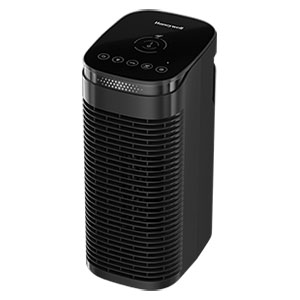
Large Honeywell Air Purifiers, including models similar to the HPA300, are designed to operate directly on the floor. This position allows them to capture heavier particles such as pet dander, dust, and other allergens that naturally settle closer to floor level.
Small Room Air Purifiers
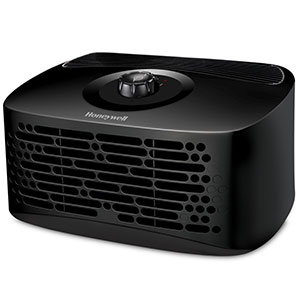
Smaller desktop or personal air purifiers often perform best when elevated on a sturdy table, nightstand, or desk. Raising the unit closer to your breathing zone can improve air circulation in smaller spaces like bedrooms, offices, or dorm rooms.
Additional Placement Tips
Keep doors and interior pathways reasonably open when possible to improve air circulation.
Avoid placing the purifier directly beneath heating or air conditioning vents that may disrupt airflow.
Keep electrical cords safely routed to prevent tripping hazards.
Clean around the intake vents regularly to prevent dust buildup.
If your home has multiple floors, consider using one purifier per frequently occupied room instead of constantly moving a single unit.
Frequently Asked Questions
Can I move one air purifier from room to room?
Yes. Honeywell Air Purifiers are portable and can be moved between rooms as needed. However, the best air
quality is achieved when the purifier remains in the room where you spend the most time. Frequently moving the
unit means the rooms left behind won't benefit from continuous air filtration.
Should I keep windows and doors closed while running my air purifier?
For maximum efficiency, keep exterior windows and doors closed whenever practical. This helps prevent outdoor
pollutants from continuously entering the room and allows the purifier to clean the existing indoor air more
effectively.
Should an air purifier be placed on the floor or a table?
Place large console air purifiers on the floor to capture heavy dust and pet dander. Elevate compact tabletop models on a desk or nightstand to target fine airborne particles and direct clean air into your breathing zone.
Can I put my air purifier directly against a wall?
No. Positioning the purifier flush against a wall restricts airflow and reduces cleaning performance. Leave at
least 12 inches of clearance between the purifier and nearby walls, curtains, or furniture to ensure proper air
circulation.
Can I place my air purifier near a heating or air conditioning vent?
It's generally best to avoid placing your air purifier directly in front of HVAC supply vents. Strong airflow
from your heating or cooling system can disrupt the purifier's intake and reduce its ability to circulate air
efficiently throughout the room.
Explore Honeywell air purifier guides to troubleshoot common questions, find compatible replacement filters, and create a cleaner and more comfortable indoor environment.
Contact options may differ depending on the type of help you need.
Cookie Preferences
This site uses a small number of cookies to provide a secure and reliable shopping experience.
Required cookies are set directly by this site and are used only for essential store functions such as maintaining your shopping cart, processing checkout, providing security, and keeping the site working properly. We also use optional Google cookies for website analytics and advertising measurement. You can choose whether to allow these Google cookies below.
Required Cookies
These cookies are necessary for essential website functions, including your shopping cart, checkout, site security, and maintaining your shopping session. These cookies are set directly by this site and cannot be disabled.
Always Active
Google Analytics & Advertising Cookies
We use Google services to understand how customers use this site, improve site performance and navigation, and measure the effectiveness of our advertising. These cookies are optional. Turning them off will not affect your ability to browse, shop, or complete an order.
Learn more about how we protect your information in our Privacy Policy.