




Humidifier Guides and Support
Find Honeywell humidifier setup, cleaning, filter, water, indicator light, white dust, buying, and troubleshooting guides for common models and types.
Related Topics:

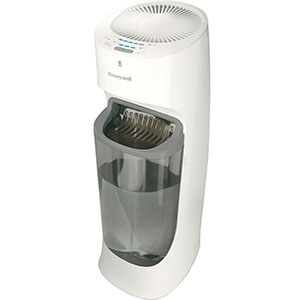
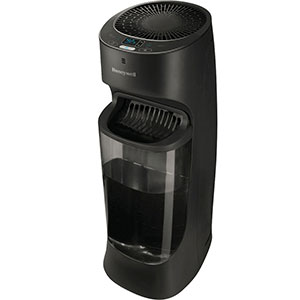
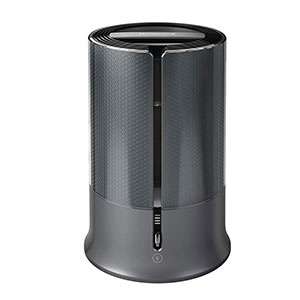
Honeywell Humidifiers add moisture to dry indoor air, but the way they produce that moisture depends on the model. Evaporative humidifiers use a saturated wicking filter and fan to produce invisible moisture, while ultrasonic humidifiers create a fine, visible mist using high-frequency vibration.
If you are learning how to use Honeywell humidifier controls, start by identifying your model type, filling the tank correctly and selecting an appropriate output or humidity setting. The following instructions cover common Honeywell designs, but the owner’s manual should always take priority for model-specific operation, filling and maintenance.
The answer to “how does a Honeywell cool mist humidifier work?” depends on whether the unit uses evaporative or ultrasonic technology. Both add cool moisture to the air, but their internal mechanics, visible output, sound and maintenance requirements are different.
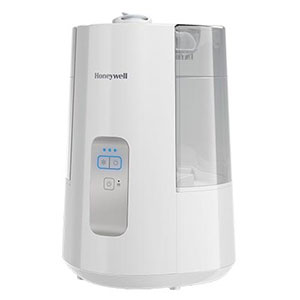
An evaporative Honeywell Humidifier draws water from its tank into a base reservoir. A wicking filter absorbs the water and becomes saturated. A fan then pulls dry room air through the wet filter, allowing moisture to evaporate into the moving air before it is released into the room.
The resulting moisture is normally invisible. If an evaporative humidifier is running but no mist can be seen, that does not necessarily indicate a problem. Fan airflow, a damp filter and a gradual decrease in the tank’s water level are better signs that the unit is operating.
The wicking filter also captures some minerals and physical impurities from the water. Over time, those minerals can harden or discolor the filter and reduce its ability to absorb water. Regular filter inspection and replacement are therefore important parts of evaporative humidifier maintenance.
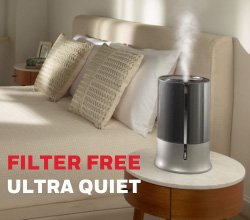
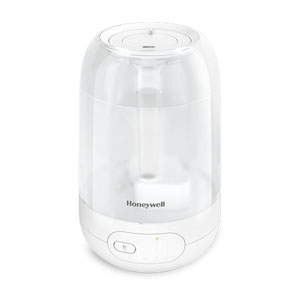
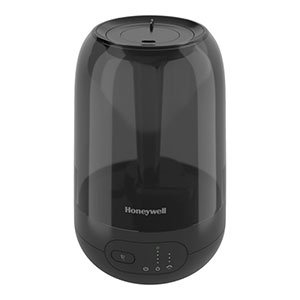
An ultrasonic Honeywell Humidifier releases water from the tank into a reservoir above a small metal disc called a nebulizer. The nebulizer vibrates at an ultrasonic frequency, breaking the water into extremely fine droplets. A small fan moves this visible cool mist through the mist chamber and into the room.
Ultrasonic models do not normally require a traditional wicking filter, although certain models may accept a demineralization cartridge. Because there is no large fan pulling air through a dense wick, ultrasonic humidifiers are generally quieter than evaporative models.
Minerals in tap water can leave deposits on the nebulizer and may be released into the room as white dust. Distilled or demineralized water is generally the better choice for ultrasonic operation, especially in hard-water areas.
Warm-mist models use a heating element to boil water and release warm steam. These models require regular removal of mineral scale from the heating element. Because the water and internal components become hot, turn the humidifier off, unplug it and allow it to cool for the time specified in the owner’s manual before refilling, moving or cleaning it.
| Feature | Evaporative Humidifier | Ultrasonic Humidifier |
|---|---|---|
| How It Works | A wick absorbs water while a fan pulls air through the saturated filter. | A vibrating nebulizer breaks water into fine droplets that are released as mist. |
| Moisture Output | Normally invisible | Fine, visible cool mist |
| Operating Sound | Fan noise is usually noticeable, especially on higher settings. | Generally quieter, although a small fan or water movement may still be heard. |
| Filter | Uses a replaceable wicking filter. | Usually filter-free; some models accept a demineralization cartridge. |
| Water Selection | Tap water is generally acceptable, although hard water can shorten filter life. | Distilled or demineralized water helps reduce scale and white dust. |
| Primary Maintenance | Rinse the tank and reservoir, inspect the wick and replace the filter when needed. | Rinse the tank and reservoir and remove mineral deposits from the nebulizer. |
| Normal Sign of Operation | Airflow, a wet wick and decreasing water level | Visible mist and decreasing water level |
Before filling or refilling, turn the humidifier off. Unplug it before removing the tank, handling the reservoir or wiping up water near the electrical base. Use cool water unless the owner’s manual provides different instructions.
Top-fill models allow water to be poured through an opening at the top of the tank. Depending on the model, the tank may be filled while it remains on the base or removed and carried to a sink.
If the top-fill tank can be removed, it may be easier to fill and clean at the sink. Carry a full tank with two hands and keep it level while returning it to the humidifier.
Traditional removable tanks are lifted from the base, turned upside down and filled through a capped opening on the bottom.
When the tank is seated, its valve or plunger opens and releases water into the base reservoir. Brief bubbling or gurgling as the reservoir fills is generally normal.
For anyone searching for “filling Honeywell water tank without spill,” the most important steps are to keep the tank level, verify the cap seal and use both hands while carrying it. A small amount of water around the valve may be normal when a bottom-fill tank is inverted, but continuous leaking usually indicates an improperly installed cap, missing gasket, damaged tank or misalignment with the base.
If the model includes a medicine cup, inhalant cup or essential-oil tray, add approved products only to that dedicated area and follow the model instructions.
To work a Honeywell Humidifier, fill and assemble the unit, connect it to an appropriate wall outlet, turn it on and select a moisture output. Models with a humidistat also allow you to choose a target relative humidity level.
Honeywell models with mechanical controls typically use a rotary dial for power and output. Turning the dial clockwise may switch the unit on and move through available fan or mist levels. Common markings include Off, Low, Medium and High, although labels vary by model.
Some evaporative models have separate controls for fan speed and humidity. The fan-speed dial controls how quickly air moves through the wick, while the humidity control determines when the unit cycles on and off.
Start on Low or Medium. Move to High when the room is very dry or when faster humidification is needed. Higher settings use water more quickly and may produce more fan noise.
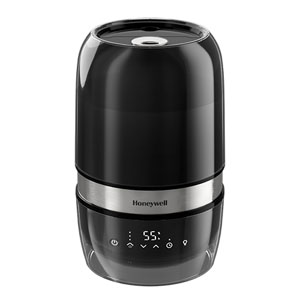
Digital models may use touch-sensitive icons for power, mist output, target humidity, timer and display lighting. Press the power icon first, then use the mist or fan-speed control to move through the available levels.
Some digital humidifiers remember their previous operating settings when switched off with the power button. Unplugging the unit may clear those settings. Because functions vary, consult the control-panel diagram in the model’s owner’s manual.
The highest setting is not always the most appropriate. Reduce output if humidity rises above 50%, condensation forms on windows or nearby surfaces become damp.
A humidistat measures humidity near the humidifier and cycles the unit to maintain the selected level. If the target humidity is set to 40%, for example, the humidifier may stop when the sensor detects that level and restart when humidity falls.
This cycling is normal and should not be mistaken for a power problem. Because the built-in sensor measures conditions close to the humidifier, its reading may differ from a hygrometer placed across the room.
If the unit is not running even though the tank contains water, raise the humidity setting temporarily. If operation resumes, the previous target had likely already been reached.
Many Honeywell Humidifiers automatically stop when the tank is empty, the water level becomes too low or the tank is removed from the base. An orange refill light, illuminated power icon or other indicator may appear, depending on the model.
To resume operation:
Do not bypass the auto-shutoff feature or operate the humidifier without water.
If the unit is evaporative, invisible output is normal. Check for fan airflow, confirm that the wicking filter is wet and monitor whether the tank’s water level gradually decreases.
For an ultrasonic model, verify that the tank contains water, the mist outlet and chamber are correctly installed, the nebulizer is clean and the mist output is above its lowest setting.
Turn the unit off and make sure the full tank is correctly aligned with the base. Check that the valve opens, the float is not stuck and water has entered the reservoir. Some models must be switched off and back on after refilling, while others resume automatically.
Do not continue operating a leaking humidifier. If reseating and inspecting the tank does not correct the problem, consult the model-specific troubleshooting guide or contact customer support.
For exact control icons, filling directions, reset procedures and replacement-filter information, locate the humidifier’s model number and consult its Honeywell owner’s manual.
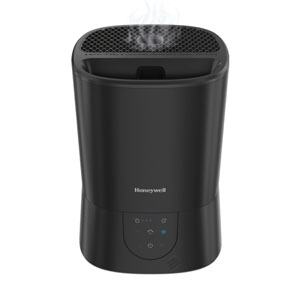
Explore related support articles and resources for this topic.
Find Honeywell humidifier setup, cleaning, filter, water, indicator light, white dust, buying, and troubleshooting guides for common models and types.
Contact options may differ depending on the type of help you need.