


When checking out, simply select the "New Customer" option. All you need to get started is a valid email address and a secure password of your choosing. After your purchase is complete, your account will be created, and you will immediately gain all the benefits of being an account holder. If you have previously placed an order with us as a guest, you can try using the "Forgot Password" feature under the "Sign In" tab.
Benefits of having an account:
Real-time status updates on all your orders and returns.
Ability to view detailed order history.
Eligibility to enroll in subscription items for recurring discounts.
Access to more store features and quicker customer support.
Connection to a dedicated sales representative if placing bulk orders.
Manage your account settings:
Update your email address and password.
Unsubscribe from email promotions.
Manage item subscriptions.
Delete your account and remove your information.
We respect your privacy and are committed to protecting any personal information you may provide us through our Website. View our privacy policy for more info.
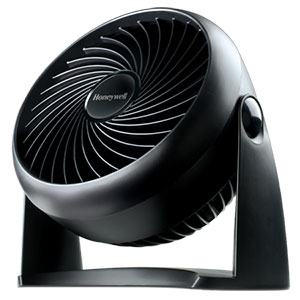
If your Honeywell fan stopped working, begin by identifying whether the fan has completely lost power or is receiving electricity but cannot move air. A fan with no lights, sound or motor response requires different troubleshooting than a fan that hums, displays illuminated controls or shuts off after running briefly.
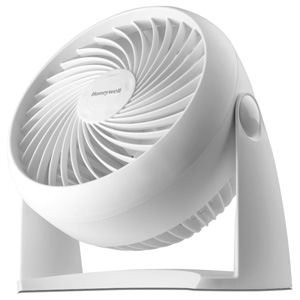
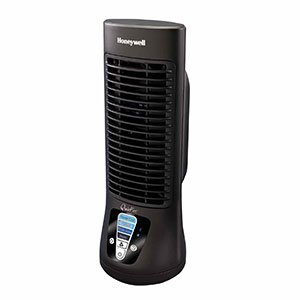
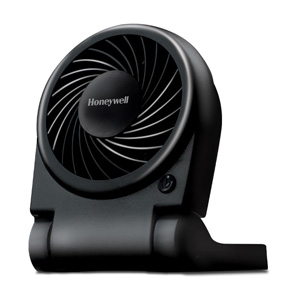
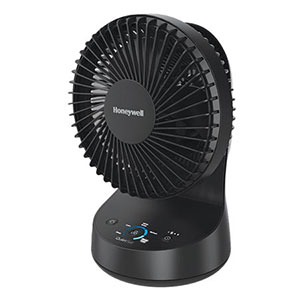
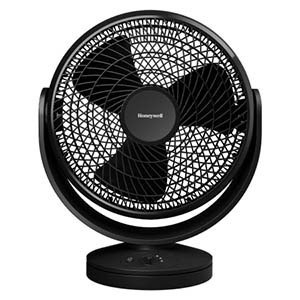
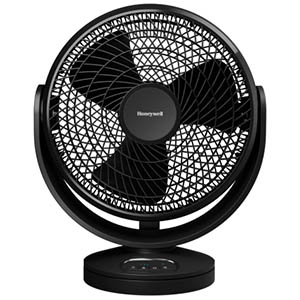
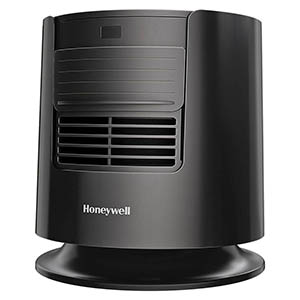
This guide covers common Honeywell TurboForce, tabletop, floor, pedestal and QuietSet fans. Features, fuse ratings and control procedures vary by model, so locate the product label and consult the owner’s manual before replacing parts.
Immediate Power Check and Safety
Turn off the controls and unplug the fan before inspecting the plug, cord, grille, blade, base or housing. Do not open the motor compartment or electronic control housing.
Determine which symptom applies:
Completely dead: No lights, sound, display or motor response
Controls illuminate: Display or buttons work, but the motor does not start
Motor hums: The fan receives power, but the blade or internal drum does not move
Starts and stops: The fan runs briefly and then loses power
Remote does not work: The fan responds to its control panel but not the remote
Motor runs with weak airflow: The fan operates but produces little or no noticeable air movement
Step 1: Check the Outlet and Power Source
Test the Wall Outlet
Turn the fan off and unplug it.
Plug a small working lamp or similar low-power device into the same outlet.
If that device also fails, check the room’s circuit breaker or fuse panel.
Reset a tripped GFCI outlet if one controls the circuit.
Test the fan in another known-working wall outlet.
Plug the fan directly into the wall rather than an extension cord or power strip.
If the outlet feels loose, appears discolored or makes the plug excessively hot, stop using it and contact a qualified electrician.
Check the Polarized Plug
Many Honeywell fans have a polarized plug with one blade wider than the other. It fits a polarized outlet in only one direction. Do not file, bend or modify the plug to make it fit.
Inspect the Cord and Plug
Do not operate the fan if you find:
Cuts, cracks or exposed wiring
A flattened or crushed section of cord
Bent, loose or burned plug blades
Melting or discoloration around the fused plug
A plug that fits loosely in the outlet
Damage where the cord enters the fan housing
Do not splice a damaged cord or replace the factory-attached safety plug. Follow the model’s warranty and replacement guidance.
Cause 1: Blown Fuse in the Safety Plug
Many U.S. Honeywell fan models have a fused safety plug designed to interrupt electrical current if an electrical fault occurs. A blown plug fuse is a common possibility when a previously working fan suddenly becomes completely unresponsive.
Fuse-door position and fuse rating vary. Many portable Honeywell fans specify a 2.5-amp, 125-volt fuse, but this is not universal. For example, some wall-fan models specify a different rating. Always use the rating printed on the plug or stated in the exact owner’s manual.
Fuse Replacement Warning
Replacing a fuse with a higher rating can defeat an important safety feature and create a fire risk. Use only the exact fuse type and rating specified for the model. If the attached plug is damaged, do not replace or bypass it.
Honeywell Fan Safety Plug Fuse Replacement
Turn the fan controls off.
Grip the plug body and remove it from the outlet. Never pull on the cord.
Locate the small fuse-access door on the top or side of the plug housing.
Slide the cover toward the plug prongs or outward in the direction shown on the plug or in the manual.
If necessary, use a small flat tool gently while the plug remains completely disconnected from electricity.
Carefully remove the old fuse without damaging the fuse holder.
Verify the required rating in the manual or on the plug.
For a model specifying a 2.5-amp, 125-volt fuse, install only a fuse with that exact rating.
Snap the replacement fuse fully into its holder.
Slide the fuse door completely closed.
Place the fan upright, plug it into a working wall outlet and test it.
If the Replacement Fuse Blows
Do not install fuse after fuse. Repeated failure indicates a possible electrical fault, short circuit, damaged cord or internal motor problem. Unplug the fan and contact consumer support or replace the unit according to the manufacturer’s guidance.
Cause 2: Overheating or Thermal Protection
Dust-covered intake grilles, obstructed vents or a stalled motor can cause excessive heat. Some motors may contain automatic overload protection, while others may use a non-resettable thermal fuse. There is no universal owner-accessible Honeywell fan thermal cut off reset button.
Safe Cooldown Procedure
Turn the fan off and unplug it.
Move it away from curtains, furniture, bedding and other airflow obstructions.
Allow it to cool for at least 30 minutes.
Vacuum the intake and outlet grilles with a soft brush attachment.
Use a flexible dust wand or short bursts of compressed air to loosen debris.
Keep water and cleaning products out of the motor housing.
Place the fan upright on a hard, dry and level surface.
Test it in a known-working wall outlet at its lowest speed.
If an automatic overload protector activated, the fan may restart after cooling. A one-time thermal fuse will not reset and requires authorized service or product replacement.
Do Not Bypass Thermal Protection
Do not open the motor housing to bypass, bridge or replace an unidentified thermal protector. If the fan remains completely dead after the outlet and safety-plug fuse are verified, contact product support.
Cause 3: Base Assembly or Cord-Routing Problems
Most Honeywell fan bases do not contain an electrical interlock. An incorrectly assembled base usually will not prevent the fan from powering on by itself. However, a pinched or crushed cord can interrupt power and make the fan unsafe to use.
Honeywell Fan Base Assembly Reset
A Honeywell fan base assembly reset means physically removing and reinstalling the base correctly; it is not an electronic reset.
Turn off and unplug the fan.
Place it carefully on its side on a padded surface.
Check that both base halves are completely snapped together.
Inspect the locking collar, nut, thumb screws or base screws.
Make sure the fan housing is fully seated in the base.
Route the power cord through the center opening and molded cord guides.
Verify that the cord exits through the designated rear notch.
Confirm that no part of the cord is trapped beneath the base.
Return the fan to its proper upright position before testing it.
If the cord has been crushed, cut or sharply pinched, do not use the fan even if it still receives power.
Honeywell Portable Fan Setup Check
Complete this Honeywell portable fan setup inspection:
The fan is upright and stable.
The front and rear grilles are unobstructed.
All required base fasteners are installed.
The power cord is correctly routed and undamaged.
No packaging material remains inside or around the grille.
The speed control is not still in the off position.
The fan is connected directly to a working wall outlet.
Cause 4: Obstructed or Stalled Fan Blade
A Honeywell fan not blowing air may still have power. If the controls illuminate or the motor hums without producing airflow, turn the fan off immediately. A stalled motor can overheat if it remains energized.
Check for an Accessible Obstruction
Turn off and unplug the fan.
Inspect the front and rear grilles with a flashlight.
Look for string, pet hair, labels or other debris contacting the blade.
Vacuum the grilles with a soft brush attachment.
Use compressed air in short bursts to loosen trapped dust.
Do not push a rigid or metal tool through the grille.
Check an Approved Removable-Grille Model
If the model’s owner manual provides front-grille removal instructions:
Remove the grille using the approved screws or clips.
Remove hair and loose debris from around the blade hub.
Wipe the blade with a soft, barely damp cloth.
With the fan unplugged, gently check whether the blade turns without touching the rear grille.
Reinstall the front grille before reconnecting power.
Do not attempt this through the grille of a tower fan. Do not insert fingers or tools into its internal drum.
Seized Motor Bearings
A motor that hums while its unobstructed blade remains stationary may have a seized bearing, failed capacitor or another internal fault. These problems require service or replacement.
Do not apply 3-In-One oil, synthetic oil, silicone spray or WD-40 through the motor vents. Honeywell’s owner-maintenance instructions do not provide a generic spindle-lubrication procedure, and oil can reach wiring or electronic components.
Cause 5: Unresponsive Buttons or Electronic Controls
A Honeywell fan power button unresponsive condition may involve the outlet, fused plug, control panel or an operating mode that has stopped the motor.
Power-Cycle the Controls
Turn the fan off if the controls respond.
Unplug it from the wall outlet.
Leave it disconnected for approximately five minutes.
Reconnect it directly to a known-working outlet.
Press the fan’s physical power button once.
Select a normal speed setting and turn off any timer or temperature mode.
This procedure can clear a temporary control condition, but it is not a guaranteed factory reset. Honeywell fan models do not share one universal reset-button sequence.
Check the Buttons
Wipe the control panel with a dry microfiber cloth.
Remove exterior dust from around the buttons with a dry cotton swab.
Do not spray cleaner into the control panel.
Check whether one button is physically stuck.
Test several controls to determine whether the entire panel or only one button has failed.
Check Timer and Temperature Settings
Some QuietSet models have an automatic shutoff timer. Older models may also stop the fan when the selected temperature setpoint is reached. Cancel the timer and temperature mode before concluding that the motor has failed.
Honeywell QuietSet Fan Has No Power
For a Honeywell QuietSet fan no power problem, follow this order:
Test the outlet with another device.
Inspect the plug and cord.
Check the fused safety plug using the exact fuse rating in the manual.
Confirm that the base is upright and the cord is not pinched.
Unplug the fan for five minutes to power-cycle the control panel.
Reconnect it and use the physical power button.
Cancel timer or temperature-control modes.
Contact support if the fan remains completely unresponsive.
Cause 6: Remote-Control Problems
If the fan works from its control panel, the fan itself has power. Focus on the remote and sensor.
Install fresh batteries in the correct orientation.
Do not mix old and new batteries.
Remove any protective battery tab from a new remote.
Point the remote toward the fan’s sensor.
Remove objects blocking the line of sight.
Clean the exterior sensor area with a dry cloth.
Test the remote close to the fan.
Use the fan’s control panel to determine whether the remote or the fan is responsible.
If neither the remote nor the control panel responds, return to the outlet, cord and safety-plug fuse checks.
Diagnose the Fan by Its Symptoms
No Lights, Sound or Motor Response
Dead outlet or tripped breaker
Blown safety-plug fuse
Damaged cord or plug
Failed control board or internal electrical component
Lights Work but the Fan Does Not Move Air
Timer or temperature mode
Blocked blade or cylindrical drum
Failed motor or motor capacitor
Internal electronic-control failure
Motor Hums but the Blade Does Not Turn
Foreign object obstructing the blade
Hair or debris around the hub
Seized motor bearing
Failed capacitor
Misaligned or damaged blade
Unplug a humming, stalled fan promptly to prevent overheating.
Fan Starts and Then Stops
Active automatic timer
Temperature setpoint reached on an equipped model
Blocked airflow or overheating
Loose outlet connection
Intermittent cord or internal electrical fault
When to Stop Troubleshooting
Contact Support or Replace the Fan If...
The replacement plug fuse blows again.
The fan has a burning odor, sparks or smoke.
The plug, cord or housing is damaged.
The motor hums after accessible obstructions are removed.
The blade or drum cannot rotate normally.
The fan repeatedly overheats or shuts down.
The control panel remains dead with a working outlet and good plug fuse.
Repair would require opening the motor or electrical housing.
Honeywell Fan Power Questions
Why Did My Honeywell Fan Suddenly Stop Working?
A loss of outlet power, blown plug fuse, timer setting, obstructed motor or internal electrical fault may be responsible. Check the outlet and fused safety plug first.
How Do I Reset a Honeywell Fan?
There is no universal factory-reset procedure. Turn the fan off, unplug it for approximately five minutes, reconnect it to a working outlet and use the physical power button. Check the model’s manual for any additional procedure.
What Fuse Does a Honeywell Fan Use?
Many portable U.S. Honeywell fan models specify a 2.5-amp, 125-volt fuse, but other models can use a different rating. Read the plug or owner’s manual and install only the exact fuse specified.
Will a Honeywell Fan Thermal Fuse Reset?
A one-time thermal fuse will not reset. An automatic motor-overload protector may restore operation after the fan cools, but this feature is model-dependent. There is no universal owner-accessible thermal reset button.
Why Does My Fan Have Power but Not Blow Air?
The fan may be in a low or automatic mode, or its blade may be obstructed. A humming motor with no blade movement can indicate a seized motor or failed capacitor and should be unplugged promptly.