





Thermostat Guides and Support
Find Honeywell thermostat support for choosing the right model, installation, wiring, programming, troubleshooting, battery replacement, resets and everyday use.
Related Topics:
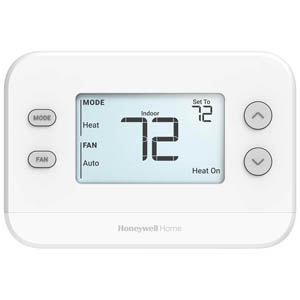
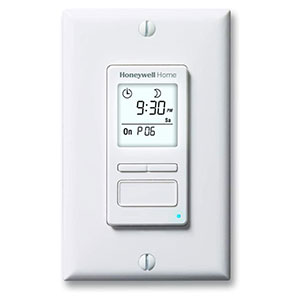

A smart thermostat is a Wi-Fi enabled thermostat that connects your home’s heating and cooling system to the internet, giving you more control over comfort, scheduling and energy use.
A Honeywell smart WiFi thermostat is designed to make home comfort easier to manage. Instead of only adjusting the temperature from the wall, a compatible smart thermostat can connect to a smartphone app, such as the First Alert app for select Resideo, Honeywell Home and First Alert products, so you can monitor and change settings from home or away.
Many smart thermostat models also work with smart home voice assistants, including Amazon Alexa and Google Assistant, depending on the thermostat model and connected home setup. This allows you to adjust the temperature with simple voice commands or include your thermostat in broader smart home routines.
A traditional thermostat turns heating or cooling on and off based on the temperature you set. A smart thermostat does that too, but adds connected features that can help automate comfort, improve scheduling and give you better visibility into how your HVAC system is being used.
When connected to Wi-Fi, the thermostat can communicate with a mobile app, receive schedule updates, support remote temperature changes and provide energy-use insights. Some models may also use occupancy, geofencing, room sensors or adaptive cycle response features to help the home reach the desired temperature at the right time.
One of the biggest benefits of a smart thermostat is remote management. With honeywell app temperature control through a compatible app, you can adjust temperatures without standing in front of the thermostat.
This is helpful when your schedule changes, you leave home unexpectedly, you want to warm or cool the house before arriving, or you need to check whether the thermostat was adjusted while you were away.
Geofencing is a smart thermostat feature that uses your phone’s location to help adjust comfort settings automatically. When you leave home, the thermostat may switch to an energy-saving temperature. When you are on your way back, it can begin warming or cooling the home before you arrive.
This helps solve a common problem with standard schedules: real life does not always follow the same routine every day. Geofencing can help reduce wasted heating or cooling when no one is home while still helping the house feel comfortable when you return.
A smart thermostat can do more than follow a basic schedule. Some models are designed to learn how quickly your home heats or cools, then start the system at the right time to reach the target temperature when you want it.
For example, instead of turning the heat on exactly at 6:30 AM, the thermostat may learn that your home needs extra time on colder mornings. It can begin heating earlier so the house is closer to your desired temperature at the scheduled time.
Feature names and availability vary by thermostat model, so review the product details before choosing the best smart thermostat for home use.
Some smart thermostat systems support smart room sensors. These sensors can help monitor temperature in specific rooms instead of relying only on the hallway or main thermostat location.
Smart room sensors are useful when one bedroom runs colder, a living room gets more afternoon sun, or the thermostat is installed in an area that does not represent the rest of the home. Depending on the model, sensors may help prioritize certain rooms during different times of day.
The ultimate benefit of a smart thermostat is smarter energy use. Heating and cooling can represent a major part of a home’s annual energy costs, and ENERGY STAR notes that certified smart thermostats can help save money while keeping homes comfortable.
ENERGY STAR estimates that the average smart thermostat saves about 8% on heating and cooling bills, or about $50 per year, with actual savings depending on climate, comfort preferences, occupancy and HVAC equipment.
A programmable thermostat lets you create a schedule, but most changes still happen directly at the thermostat. A smart thermostat adds Wi-Fi connectivity, app control and automation features that can make the schedule easier to manage and more responsive to real life.
If your routine is very consistent, a programmable thermostat may be enough. If you want remote access, energy reports, geofencing, voice assistant compatibility or room sensor support, a smart thermostat may be the better choice.
Before choosing a smart thermostat, confirm that it is compatible with your HVAC system. Compatibility may depend on whether you have a conventional furnace and air conditioner, heat pump, boiler, multi-stage system or other equipment.
Many smart thermostats also require a C-wire or compatible power adapter for continuous power. If your current thermostat does not have a C-wire, you may still be able to install a smart thermostat using a supported adapter or alternate wiring solution.
A Honeywell smart WiFi thermostat can be a strong choice for homeowners who want more control, better scheduling and easier access to comfort settings. The best smart thermostat for home use is the one that matches your HVAC system, wiring, Wi-Fi setup and comfort preferences.
If your goal is to make everyday temperature control easier, reduce unnecessary heating and cooling, manage comfort from your phone and support smart home automation, upgrading to a smart thermostat can be a practical improvement.
Yes, smart thermostats can help reduce heating and cooling costs by using automated schedules, remote adjustments, geofencing and energy reports. Actual savings vary by home, climate, HVAC system and how the thermostat is used.
A smart thermostat may still control heating and cooling without Wi-Fi, but many smart features will be limited or unavailable. Remote app control, energy reports, automatic updates and voice assistant features usually require a Wi-Fi connection.
Many smart thermostats work with voice assistants such as Amazon Alexa or Google Assistant, but compatibility depends on the specific thermostat model and smart home platform. Review the product details before purchasing.
App-based temperature control lets you adjust your thermostat from a compatible smartphone or tablet. This is useful when you are away from home, your schedule changes or you want to update comfort settings without using the wall display.
Many smart thermostats need a C-wire or compatible power adapter for continuous power. Check your current wiring and the thermostat’s installation requirements before purchasing or installing a new model.
Geofencing uses your phone’s location to help the thermostat recognize when you leave or return home. It can automatically adjust temperatures to reduce energy use while you are away and improve comfort when you come back.
Smart room sensors can be helpful if your home has hot or cold spots. They allow compatible thermostat systems to monitor temperature in specific rooms and may help prioritize comfort where it matters most.
A smart thermostat usually offers more convenience than a standard programmable thermostat because it can include Wi-Fi, app control, geofencing, energy reports and voice assistant compatibility. A programmable thermostat may still be enough for simple scheduled temperature control.
Yes, a smart thermostat can help by reducing unnecessary heating and cooling, improving schedules and giving you better visibility into energy use. Savings depend on your settings, HVAC system, weather and household routine.
Check HVAC compatibility, C-wire requirements, Wi-Fi strength, app support, voice assistant compatibility and whether you want features such as room sensors, geofencing or energy reports.
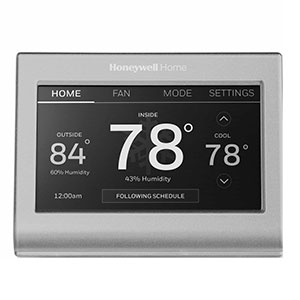
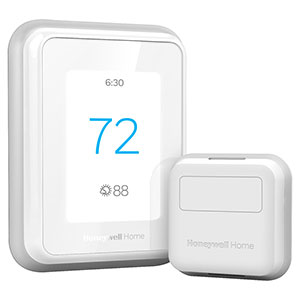
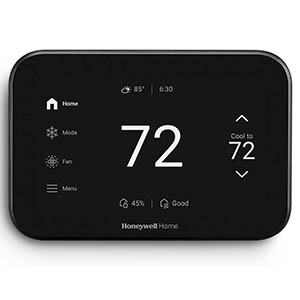
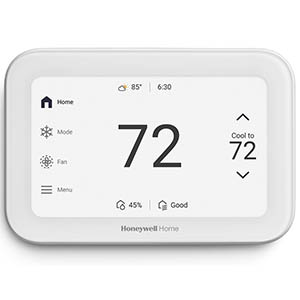
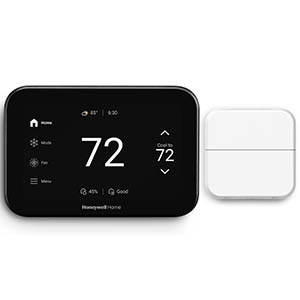
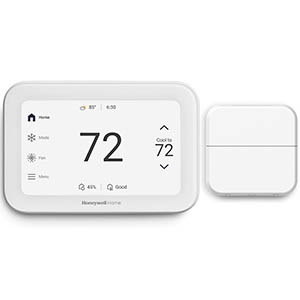
Explore related support articles and resources for this topic.
Find Honeywell thermostat support for choosing the right model, installation, wiring, programming, troubleshooting, battery replacement, resets and everyday use.
Contact options may differ depending on the type of help you need.