


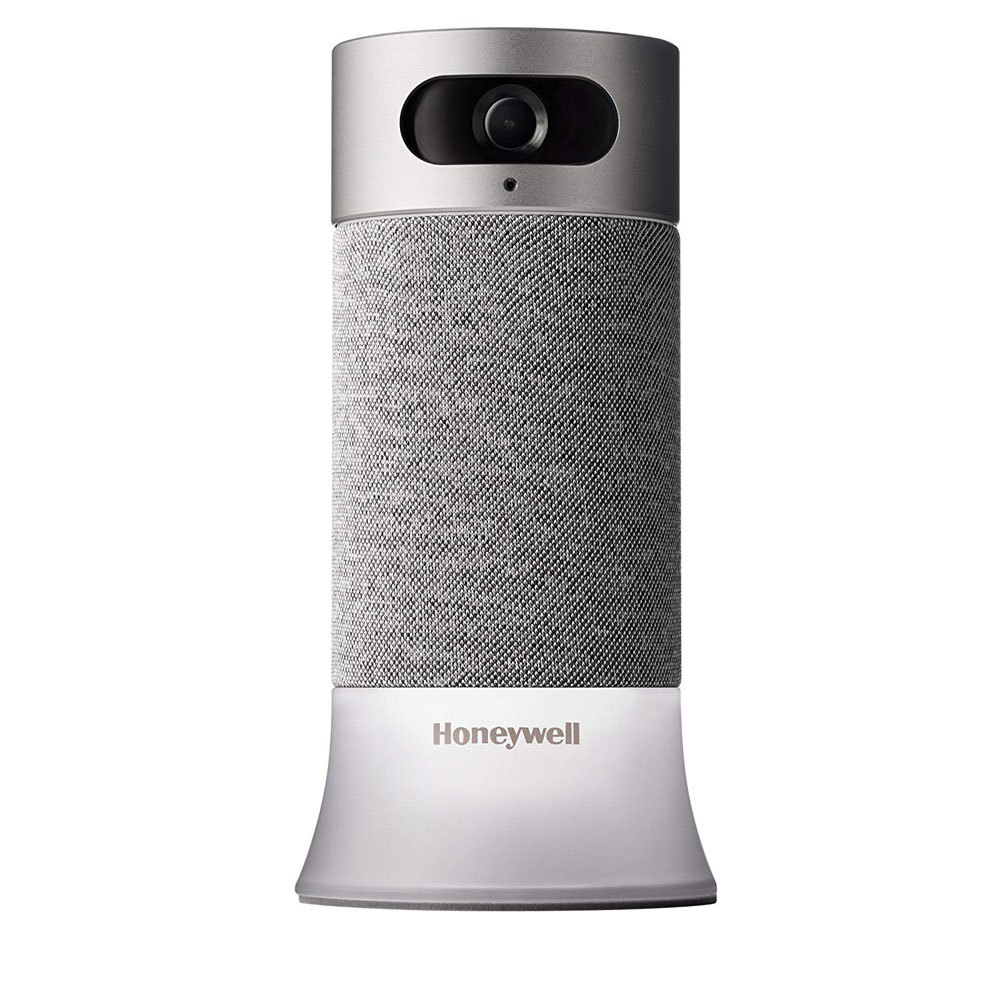
Customer Reviews For The Honeywell Home RCHS5200WF Smart Home Security Base Station
Overall Rating
Product Reviews
Product FAQs
You will only need one Camera Base Station for your home. If you have a large home, you might want to complement Camera Base Station with other products from Smart Home Security System. You can even add our line of WiFi Security cameras - Lyric C1 and Lyric C2 - if you want more "eyes and ears" around your home. They all work in unison, with one app that makes set up and use a breeze.
Smart Home Security is designed to accommodate a total of 25 products connected to the Camera Base Station. Most homes might not need that many. For instance, you might want to consider using Motion Sensors in lieu of Access Sensors to cover an area of your home. Similarly, you might want to consider MotionViewers instead of cameras, so you always know when people are moving in and around your home.
You'll need the app from Honeywell to install and configure Smart Home Security. This includes the Camera Base Station, and other products like Access Sensors, Motion Sensors, Key Fob, and MotionViewers that round out the system. You'll also need the app to always know what's happening in and around your home, and view the live video feed from Camera Base Station or other Honeywell cameras like the C1 and C2 Wi-Fi Security cameras.
The Lyric Thermostat, Water Leak and Freeze Detector, and C1, C2 WiFi Security Cameras all work with Smart Home Security through one app that makes set up and using them a breeze. We also integrate with most third-party devices and ecosystems through various partnerships.
No, Smart Home Security can automatically switch between HOME and AWAY using your phone's location, so you can just come and go. You can set up a virtual boundary around your home using the app from Honeywell. We call this your "Geofence". The system can automatically switch to HOME mode as you enter the Geofence, and it can automatically switch to AWAY mode as you leave the Geofence. If you've invited others to your home in the app, then the system is intelligent to wait for the first person to enter or the last person to leave this Geofence.
You can always turn off the camera using our app on your phone. You can also turn the privacy ring on Camera Base Station to cover the camera lens, so even if you forget to turn the camera off in our app, your privacy is still ensured. (Please note that disabling privacy will not detect motion.)
Camera Base Station uses a variety of lights and sounds as a way to notify you about what's happening in and around your home. Here are some of the most common patterns:
- A momentary white light when the system mode has changed to HOME
- A momentary green light followed by a slow, blinking green light during Entry or Exit delay--you'll also hear dings to match the blinking light
- A constant green light when the system is in AWAY mode
- A momentary purple light followed by a slow, blinking purple light as the system is switching to NIGHT mode--you'll also hear dings to match the blinking light
- A pulsing yellow light when a firmware update is available
- A fluttering amber or red light when the system notices something abnormal and is trying to grab your attention
- You can dismiss this alert by tapping on the Action button, which is located at the center of the touch-sensitive surface on top of Camera Base Station
- When tapped, Camera Base Station may announce the issue at hand, or ask you to check our app on your phone for details
- A blue light followed by a spinning sky blue light when you're using voice control
The Camera Base Station only pays attention to what you're saying when it hears the words, Alexa or OK Security. As a first step to ensuring your security, voice controls are disabled in AWAY mode, so that nobody can walk up to Camera Base Station and issue any commands. In addition to this, we included a 'Microphone Off' button, so you can manually turn off the microphones on Camera Base Station by pressing this button. You'll notice a red halo at the bottom of the device when its microphones are off and it can't listen to what you're saying. Simply press the microphone off button again to have the Camera Base Station respond when you say Alexa or OK Security.
The Camera Base Station will sound an alarm when any of the following has occurred:
- A Motion Sensor or Indoor MotionViewer has picked up on movement within your home when your system is in AWAY mode
- Entry delay has expired after a door with an Access Sensor had been opened and the system was in either AWAY or NIGHT mode
- A window with an Access Sensor was opened when the system was either in NIGHT or AWAY mode
- Exit delay expires after system was switched to AWAY mode, but you didn't leave yet - you might mistakenly set off a Motion Sensor or an Indoor MotionViewer to cause an alarm
- System is in AWAY or NIGHT modes and any of the sensors appears to be tampered with - opening the case of any sensor in these modes will result in an immediate alarm
Any time Camera Base Station sounds an alarm, you can expect to receive an alert on your phone so long as you're in an area with coverage and you've enabled our app to send you notifications. You can see what's happening by looking at the live video feed from Camera Base Station, and take the appropriate action.
RCHS5200WF1004/W Video Guide
Watch this helpful video to learn more about the Honeywell Home Smart Security Base Station - RCHS5200WF.
Read customer ratings and reviews for the Honeywell Home Smart Security Base Station - RCHS5200WF. Learn what other customers have to say about their experiences, including what they liked, how the Honeywell Home RCHS5200WF Smart Home Security Base Station met their expectations, and any concerns they encountered. These firsthand perspectives can provide helpful information beyond the standard product description.
Browse the reviews to compare customer ratings, explore positive and critical feedback, and make a more informed purchasing decision. If you've purchased or used this product, we encourage you to share your experience and help other shoppers find the right product for their needs.